
Microsoft have a bug in Windows 11 which under certain circumstances causes a competely black screen at login. This can be caused by Windows not starting File Explorer, or sometimes a corrupt graphics driver.
Option 1 - File Explorer
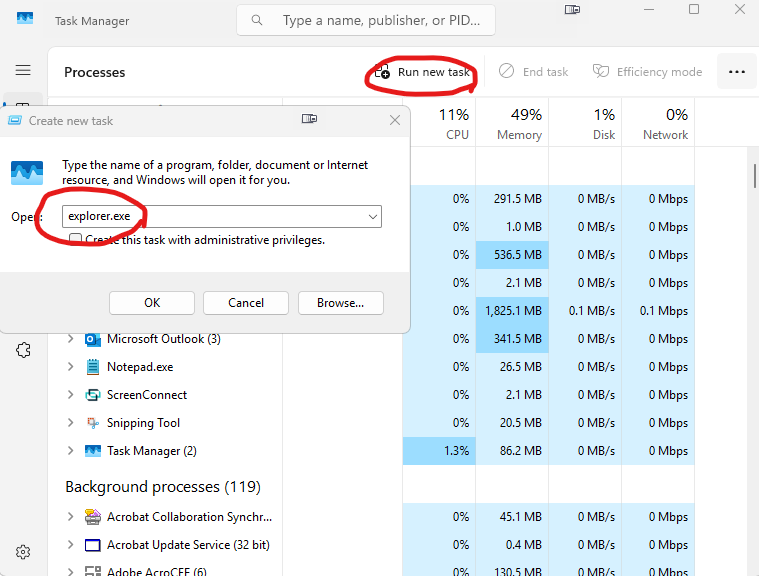
Hit Ctrl + Alt + Del (or Ctrl + Alt + End if working via remote desktop). Then hit Task Manager. When this opens, go to Run new task then type: explorer.exe into the box and hit OK.
Option 2 - Force graphics driver reinstall (Do not try this on a remote desktop connection)
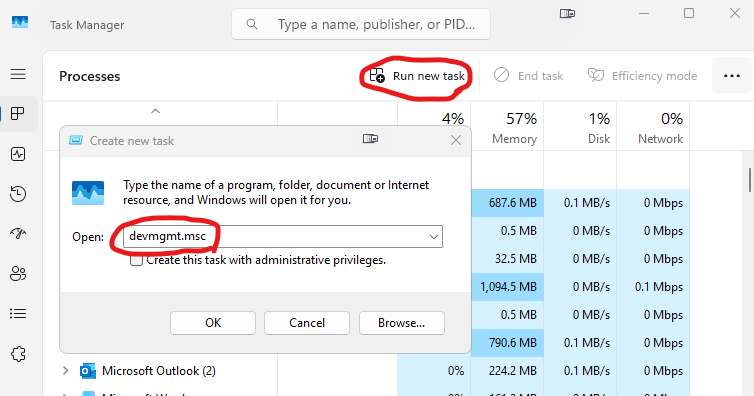
Hit Ctrl + Alt + Del Then hit Task Manager. When this opens, go to Run new task then type: devmgmt.msc into the box and hit OK.
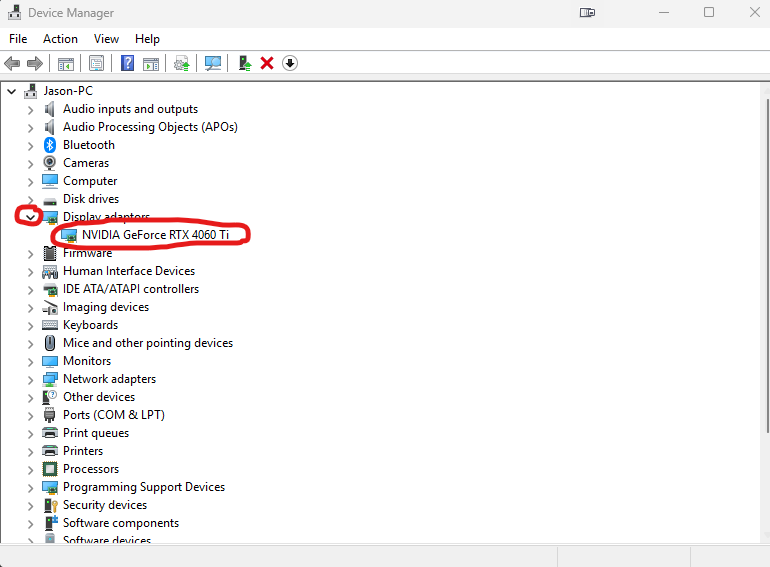
In Device Manager, expand the Display Adaptors section by pressing the arrow next to it. Under each of the adaptors listed underneath (there may be more than one), right click on it and chooose Uninstall device. When all adaptors have been removed, restart the machine by pressing Crtl + Alt + Del again, click on Power in bottom right corner and hit Restart.